
Use this report to assess vehicles with health monitoring issues.
The J1939 Vehicle Health Monitoring card provides a tabular display of the vehicle health monitoring (VHM) messages generated from fleet vehicles equipped with Avail's VHM solution. It displays such issue information as Lamp Status, Vehicle, Time Stamp, FMI, and SPN. Clicking the plus icon expands a row to show detailed information.
The Vehicle Issues card displays ITS and Pre-Trip failures for vehicles. Clicking a tab changes the table view to the respectively-clicked tab. Clicking the plus icon expands a row to show detailed failures for the vehicle.
Multiple clicks on column headings toggle between ascending and descending sort orders. Little arrow to the right of the column heading 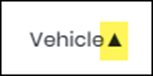 indicates the current order.
Filters button at the top left corner allows you to filter the list to a specific vehicle. Select Vehicle number and click Apply.
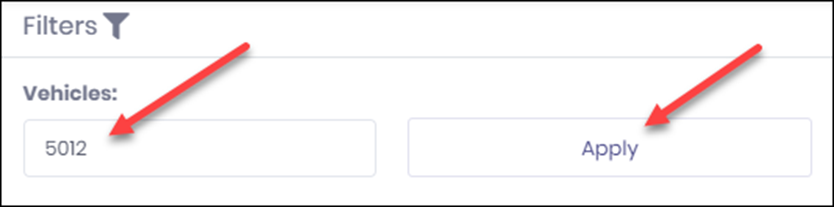
To go back to showing All vehicles, click Filters again and then click Select All button.
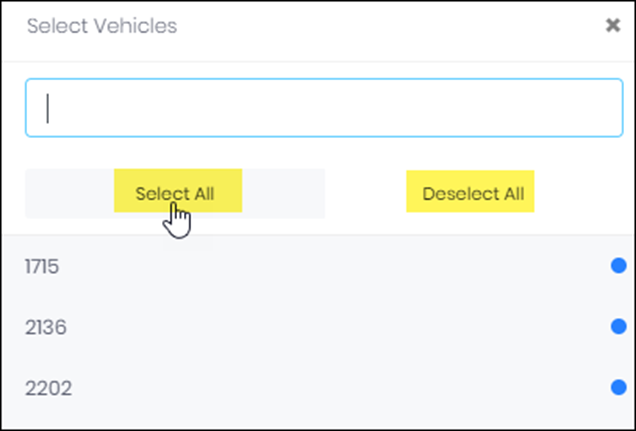
Deselect All button allows you to deselect all vehicles that were selected previously.
Lamp Status column displays statuses which are color coordinated: Yellow for Amber Warning and Red for Red Stop.
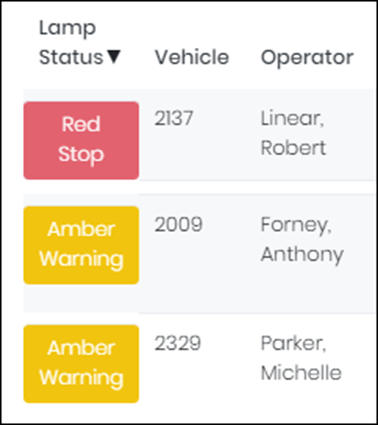
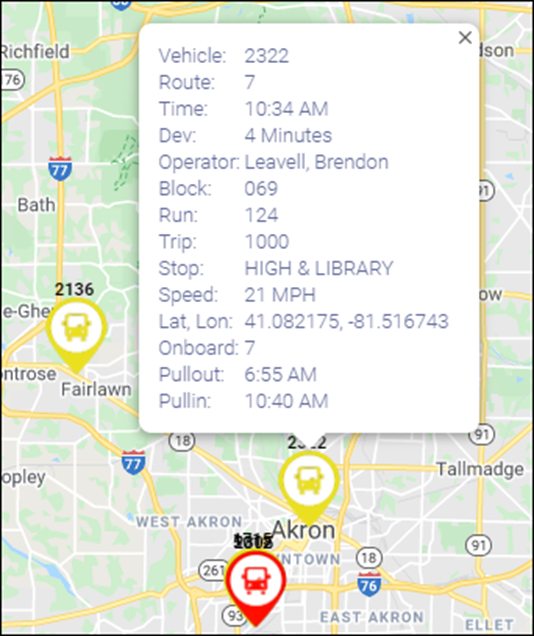
The map shows the location of vehicles with issues and clicking on each will show that particular vehicle information in a tooltip. Each vehicle is color coordinated based on the lamp status.
The Vehicle Pull out/Pull in card allows maintenance staff to quickly identify when a vehicle will be departing and returning to the garage to determine if a repair can be done prior to vehicle pull out or be delayed until the vehicle returns as scheduled.